The Surprising Way This Patient Finally Found Relief from the Ringing in Her Ears
I had a patient come in recently who was really excited about a specific treatment called Lenire. It is an FDA-approved treatment for tinnitus. She'd done her homework and was convinced it was the only thing that could fix the ringing in her ears.
But when we actually sat down and looked at her situation, it turned out she wasn't actually a good candidate for it. You could tell she was a little let down. She thought she was back at square one.
I told her, "Hang on, there's another way we can help you."
I suggested we try some hearing aids that have a special "masking" feature. Basically, they play a very soft, soothing background noise—we call it "pink noise"—that helps drown out the ringing. She was open to it, so I put some loaner devices in her ears right then and there.
What happened next was pretty wild.
Within ten minutes of putting them in, she looked at me and said she felt totally different. She told me she could actually feel the tension leaving her neck. She'd been carrying all this stress and tightness because of the ringing, and as soon as that soothing sound started, her whole body just... relaxed.
The best part? I showed her how to use a simple app on her phone to control it. It's like a remote control for your ears. If the ringing gets louder, she can just slide a bar on her phone to turn the soothing noise up. If she doesn't need it, she can turn it down.
She came in thinking she needed one specific thing. She walked out with a completely different solution that gave her immediate relief.
It goes to show that even if the "famous" treatment isn't right for you, there's usually a way to get that peace and quiet back.
You just have to find the right fit. We will find the right solution for you.
And once we find that perfect fit, you'll see how much easier life gets—especially with features like Bluetooth that connect you to everything else you do.
Enjoy Hands-Free Hearing Right From Day One
Bluetooth hearing aids let you hear phone calls, music, and other audio straight through your hearing aids. You do not have to hold the phone to your ear as much, and you can keep your hands free while you talk or listen. Many people in Knoxville like this because it makes everyday life simpler at home, at work, and around town.
The first week with Bluetooth hearing aids is a learning period. Things may feel strange at first, and that is completely normal. Our goal here is to walk you through pairing, app setup, and common first-week problems in clear, simple steps so you know what to expect and when to ask for help.
Get Ready Before You Pair Your Hearing Aids
A little prep makes pairing go smoother. Before you start, check a few basics so you are not stuck halfway through.
Try to have:
- Hearing aids charged fully in their charger
- Phone or tablet with at least half battery
- A quiet room, like a living room or bedroom
- Good light so you can see small buttons and screen icons
Make sure Bluetooth is turned on in your phone settings. It also helps if your phone software is up to date. You do not have to chase every tiny update, but very old software can cause pairing problems.
Pick a time when you are not rushed. Sit somewhere quiet where you can hear chimes from the hearing aids. Have your App Store or Google Play password ready, along with Wi-Fi details if your phone needs to download or update the hearing aid app. A few minutes of prep now often saves a lot of frustration later.
Connecting your hearing aids to your phone is pretty simple. Here is the easiest way to do it:
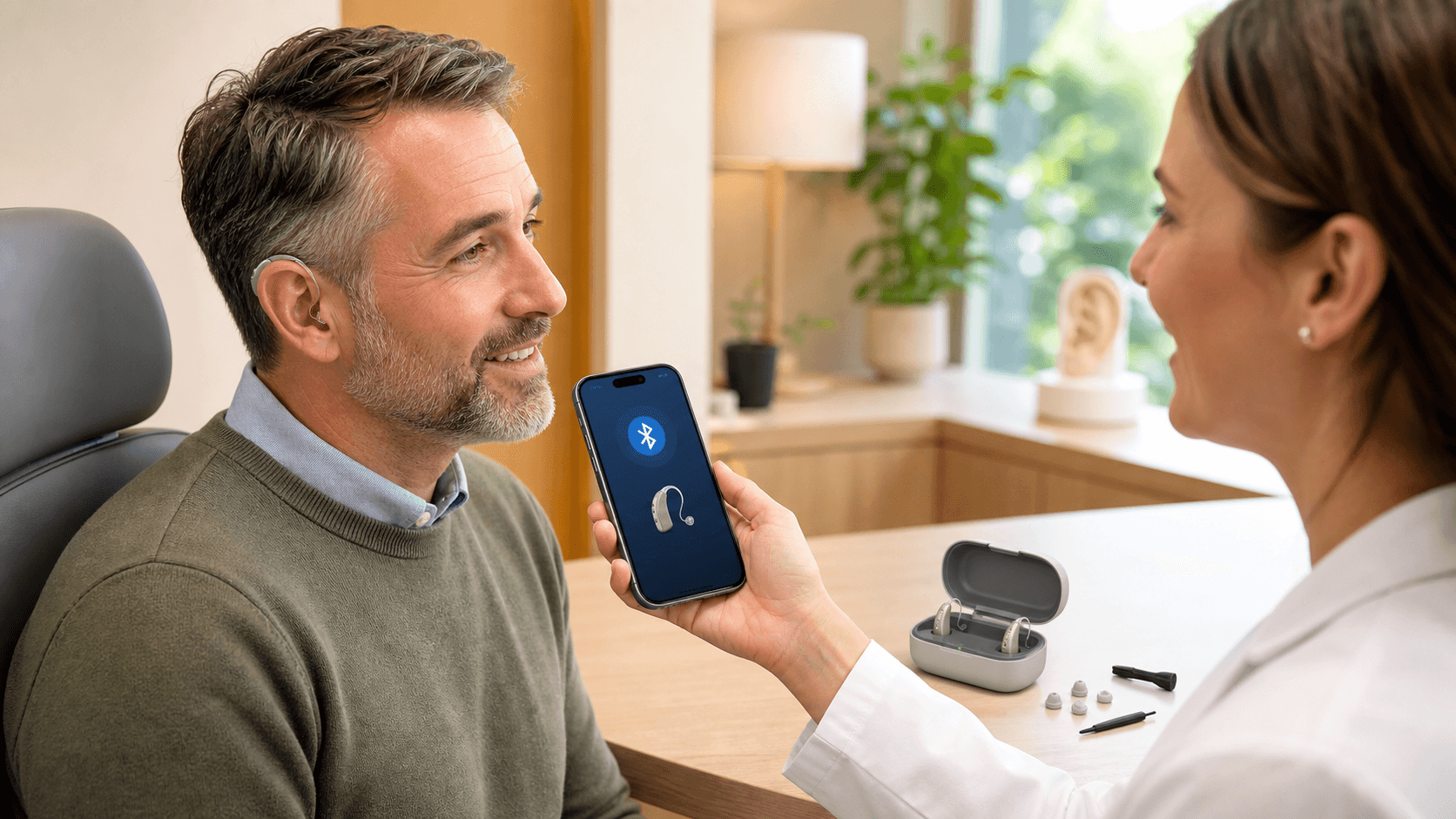
Go into your phone's Settings and click into Bluetooth to find your device. You may need to open the hearing aid case to get your phone to recognize the device.
How do you know it worked? You'll usually hear a little "ding" in your ears, or you'll see the word Connected on your phone screen.
If it doesn't work: Don't panic! Just close the case, restart your phone, and try again.
Setting up Your Hearing Aid App Without Frustration
The app is where you get simple tools you can use every day. It often lets you change volume, pick sound programs, find lost hearing aids, and get updates without coming into the office.
Here is a basic first-time setup:
- Download the app that matches your hearing aid brand
- Open the app and agree to its terms
- Allow the app to use Bluetooth, location, and notifications when asked
- Create an account or sign in if needed
After that, the app usually looks for your already paired hearing aids. Follow the on-screen steps. You might see spinning circles for a bit. Try not to walk away or lock your phone during this part.
In most apps, the tools you will use the most are:
- A volume slider for each ear or both ears together
- A mute button if you want quick quiet
- Simple programs like "Restaurant," "TV," or "Outside"
- A basic "help" or "tips" section
When you are new, avoid tapping every button you see. Start with volume and one or two programs. That keeps things simple and easier to remember.
Your First Week: What Is Normal and What Is Not
The first week with Bluetooth hearing aids can feel busy for your brain. Your ears and brain are hearing sounds again that they have been missing, and that can be tiring.
Many people notice:
- Their own voice sounds too loud or "boomy"
- Small sounds like paper, water, or footsteps stand out
- Feeling a little worn out by the end of the day
These are usually normal and should ease as your brain gets used to the new sound. You can use the app to make gentle changes:
- Turn the volume down a notch, not all the way
- Try a "comfort," "quiet," or "all-around" program if things feel sharp
- If your app has tone controls, lower the treble slightly if high sounds bother you
Streaming is a big reason people pick Bluetooth hearing aids in Knoxville. When you take a call, you can usually choose to keep sound through the phone speaker or send it to the hearing aids. If sound cuts in and out, move a little closer to your phone and make sure your phone is not buried in a bag or under a pillow.
Some things are not normal and should be checked by an audiologist:
- Pain or soreness in or around your ear
- Loud squealing that does not stop when you press the aids in gently
- Very muffled sound that does not change with simple app adjustments
If you notice any of those, do not push through it. It is better to have the devices checked.
Quick Troubleshooting When Bluetooth Acts Up
Bluetooth can be fussy at times, even when everything is set up correctly. A few simple steps solve most small problems.
Start with:
- Close and reopen the hearing aid app
- Turn your phone's Bluetooth off, wait a few seconds, then turn it back on
- Restart your phone and then check again
If one hearing aid stops streaming, check that:
- The aid has enough battery
- It is seated correctly in your ear
- It still shows as connected in the app and Bluetooth settings
You may need to remove just that side in the Bluetooth settings, then pair it again. Some people also notice short dropouts in crowded places around Knoxville where there are many devices, like big stores or busy waiting rooms. These are usually brief and clear up when you move or when there are fewer devices nearby.
If you keep having:
- Repeated disconnects several times a day
- App crashes or freezing
- Settings that will not save or change
Those are signs it is time for professional help. Your audiologist can check the hearing aids, walk through your phone settings with you, and make adjustments in the office. In some cases, certain changes can also be made remotely so you do not have to leave home.
Take The Next Step Toward Clearer Everyday Conversations
If you are ready to hear more clearly at work, at home, and everywhere in between, we are here to help you find the right fit. At Volunteer Hearing, we take the time to understand your needs so your technology works for your lifestyle. If you have questions or want to schedule an appointment, please contact us today.